
- Advertentie -


Manual
Read more about how Fietsknoop works.
Also watch our instruction videos in Dutch
Popular search terms
route gpx nodes download plus update dns fietsknoop-plus android vpn add qr-code googlemaps reload speed share friends adjust account-number used_nodes data-consumption eye plus-nodes gps place length pause purchase all-recordings cache qr photo apple profile sort ajust read parking stop ebike map iwatch create settings save charging-points server bar closed-route search
Search the manual
- Fietsknoop[+]Plus
- Used nodes [+]
With a Plus account, you can quickly see on the planning screen which nodes you have already used in your saved routes.
App:
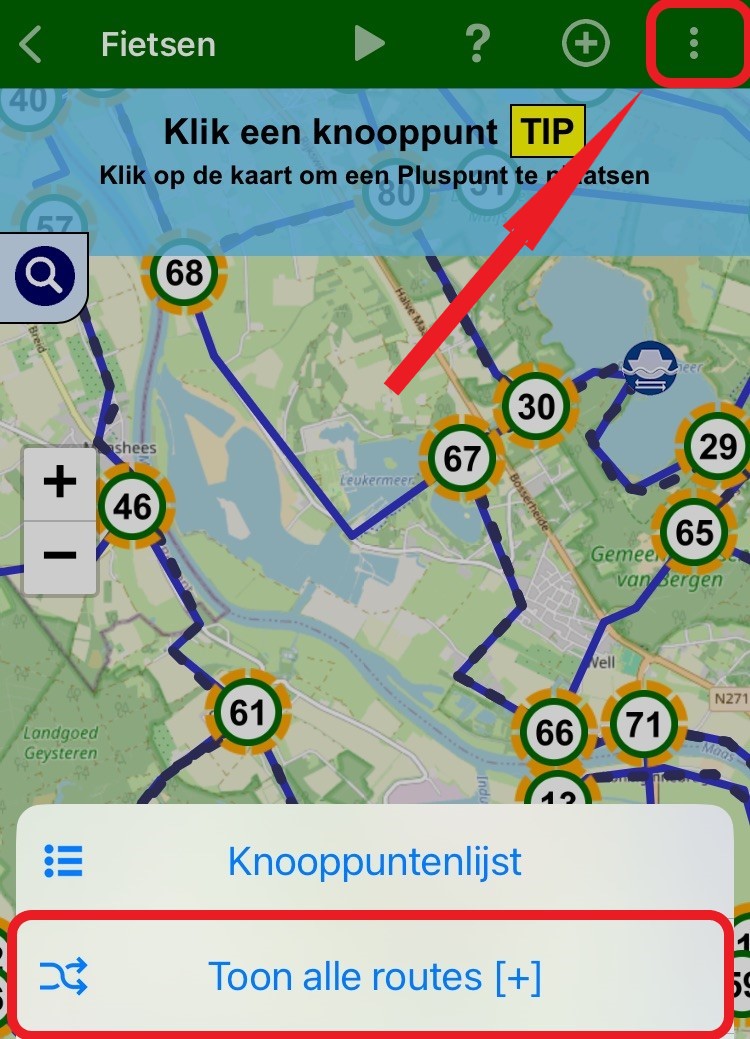
Open the planning screen. Click the multiple-choice menu at the top right (the three white dots). Select Show all routes [+].
On the map, you see the previously used nodes with a yellow highlight, and your saved routes as black dotted lines.
Website:
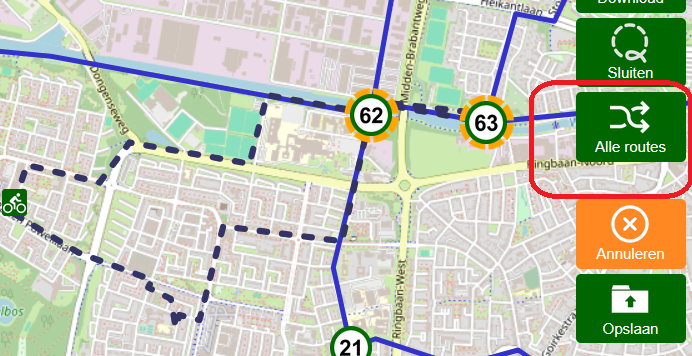
Log in to your account on the website and open the planning screen. To the right of the map there are several green buttons.
Click on ‘Alle routes (= All routes)’ and on the map you will see previously used nodes with yellow shading and your saved routes as black dotted lines.
- Advertentie -