


Manual
Read more about how Fietsknoop works.
Also watch our instruction videos in Dutch
Popular search terms
Search the manual
- Deleting saved routes
App:
Open your list 'Routes'.
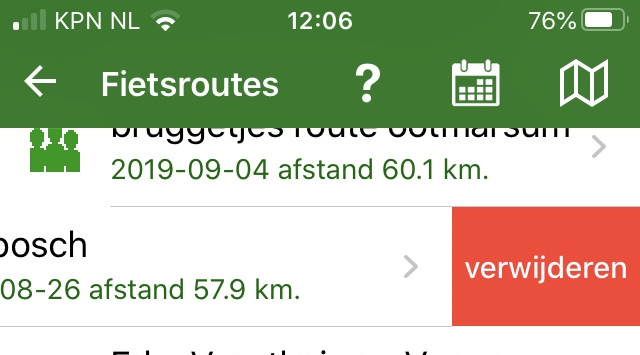
For iOS: move the route to be deleted to the left and click on the red 'delete' button.
For Android: click a bit longer on the route name in the list (so-called long-click). A delete question appears. Click on 'yes'.
Website:
Log on to www.fietsknoop.nl/dashboard/inloggen. The website is in Dutch.
Choose the blue button 'Routes' on your own page. Click on the button 'route x' to the right of the route to be deleted.
It is also possible to remove several routes at once.
Click on the button 'Meerdere routes verwijderen = Delete multiple routes'. Tick the routes to be deleted and click on 'Geselecteerde routes verwijderen = Delete selected routes'.
See also the instruction video on the website.


- Advertentie -