
- Advertentie -


Manual
Read more about how Fietsknoop works.
Also watch our instruction videos in Dutch
Popular search terms
route gpx nodes download plus update dns fietsknoop-plus android vpn add qr-code googlemaps reload speed share friends adjust account-number used_nodes data-consumption eye plus-nodes gps place length pause purchase all-recordings cache qr photo apple profile sort ajust read parking stop ebike map iwatch create settings save charging-points server bar closed-route search
Search the manual
- Settings
- Scrolling the node bar of a route
While cycling or hiking a route, the node bar automatically slides along.
Would you prefer not to do this?
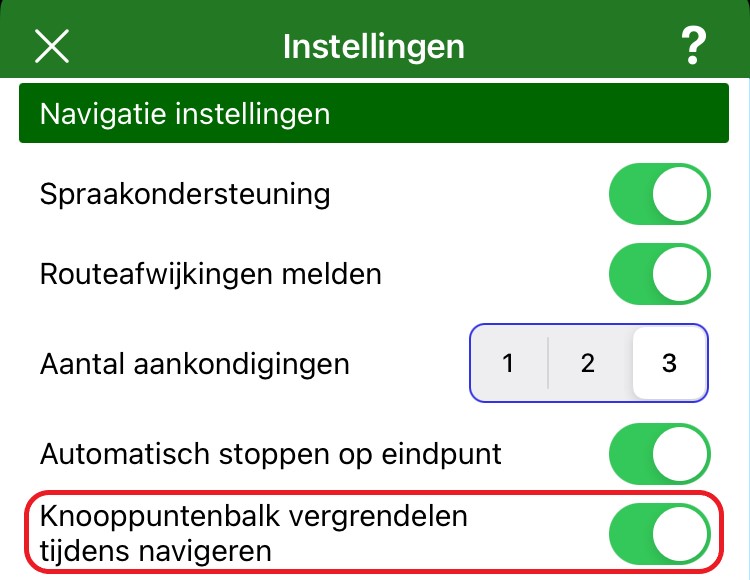
Go to 'Settings' and then 'Navigation settings'.
Here you will find the option 'Lock node bar while navigating'. Turn this option off, and you can scroll the node bar yourself while cycling or hiking.
- Advertentie -