


Manual
Read more about how Fietsknoop works.
Also watch our instruction videos in Dutch
Popular search terms
Search the manual
- No connection possible
An internet connection is necessary for the proper functioning of Fietsknoop. Always give Fietsknoop permission for your location in the general settings of your phone.
NB. Your location is only known to Fietsknoop during the route. After finishing your route, all data used by Fietsknoop will be deleted.
If the app fails and doesn't seem to work properly, it can help to stop the app and remove it from your to-do list. Then restart it and see if Fietsknoop is now working properly.
If this still doesn't work, remove the Fietsknoop app from your device and reinstall it from the app store. Please log in again to gain access to your account.
- GPS is not functioning properly
If the navigation is not working properly, it may be because Fietsknoop does not have sufficient access to your location.
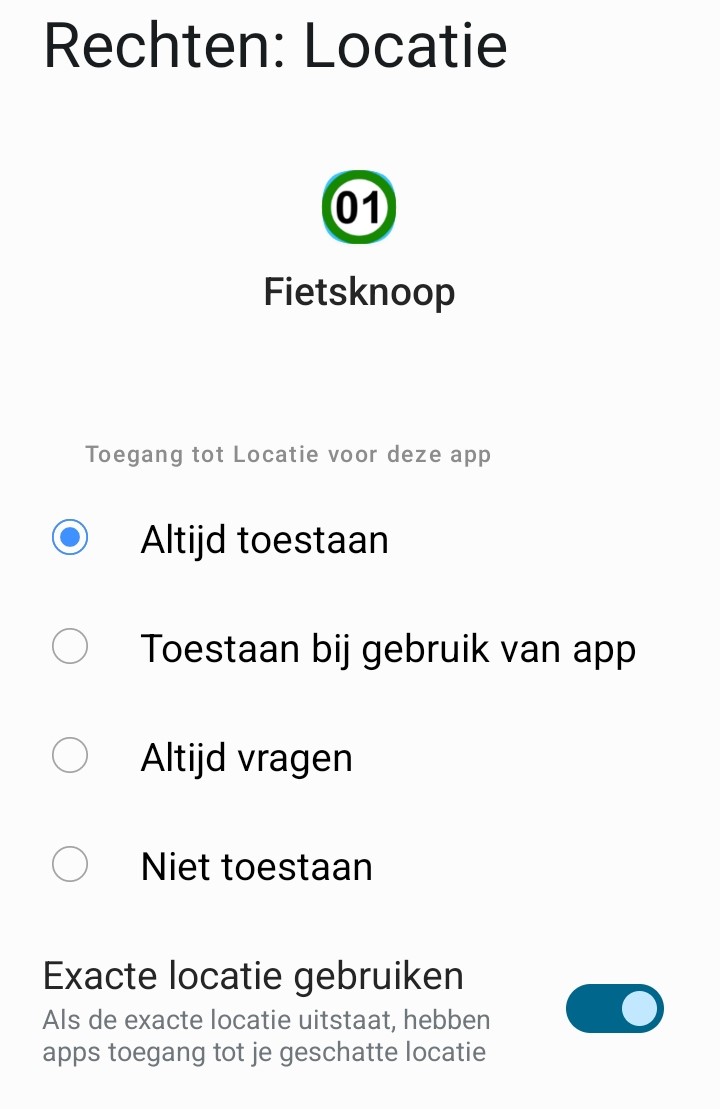
Make sure that Fietsknoop is ALWAYS allowed to use your location.
Fietsknoop only uses this access when you are walking or cycling a route. One hour after the end of the route, all data used is completely deleted from the Fietsknoop servers.

Furthermore, many phones nowadays have a battery-saving function. This can also cause the app to malfunction when it is running in the background.
Make sure that the battery for Fietsknoop is set to Optimised or Unlimited. The app will then also work properly when running in the background.

Are all these settings correct? Then try this tip:
- Restart the phone (not the app).
- Turn location permission for the Fietsknoop app OFF and then ON again via the phone's Settings.
- Location permission
For Fietsknoop to function properly even in the background when the screen is locked, it is necessary that Fietsknoop always has access to your location. In previous versions of iOS and Android, this did not require user permission. Now, with tightened privacy requirements, we need to ask you for this.
You are not under any obligation to give permission for this, it's just that Fietsknoop will not work properly in the background.
In your phone's settings, you can indicate that the app Fietsknoop ALWAYS has permission to your location.
Your data will not be saved after use. One hour after the end of your cycling or walking tour, all data needed for GPS guidance during the route of Fietsknoop are deleted.
- Large or small location arrow

- Location rights for the app Fietsknoop
Fietsknoop is a navigation app that allows you to cycle or walk routes. To properly guide you while cycling or walking, Fietsknoop needs to know your location.
We need your permission to do so. For the proper functioning of the app Fietsknoop, set the location permission to Always, so that the app can follow you during the route, even when the phone screen is closed and the app is running in the background.
Fietsknoop handles your location data with care. One hour after finishing your route, all location data used are completely deleted from the Fietsknoop servers.
- Advertentie -