
- Advertentie -


Manual
Read more about how Fietsknoop works.
Also watch our instruction videos in Dutch
Popular search terms
add gpx recording nodes box upload mountainbike eye purchase filters qr-code googlemaps data-consumption photo email-address app paved info-pin adjust ajust plus bike-navigation friends save read details sort enlarge qr parking fietsknoop-plus node account-number share length racebike change record account resize bar route reverse info secure no-map free gps iwatch activity
Search the manual
- Settings
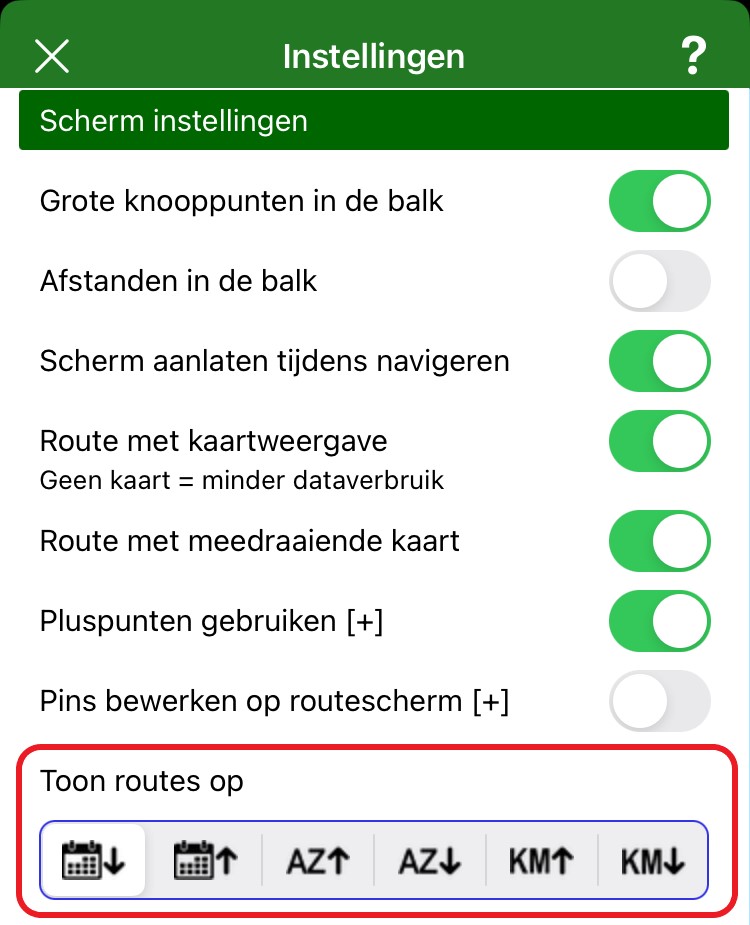
- Sorting routes by date, by alphabet or by kilometres
Routes can be displayed and sorted in the app in three ways: by date, by alphabet (title), by kilometres.
Go to 'Settings', and specify which way you would like the routes to be shown.
There are more options on the website.
Log in and choose the blue 'Routes' button.
Above the route overview, you will find many more sorting options.

The website is only available in Dutch. With your browser's automatic translation function, it may be possible to translate the website.
- Advertentie -