


Manual
Read more about how Fietsknoop works.
Also watch our instruction videos in Dutch
Popular search terms
Search the manual
- Labels
A label allows you to quickly classify routes into groups. Only usable with a Fietsknoop account.
App
Open the Labels list.
Click on the +label symbol in the top right of the navigation bar.
Give a title and any additional information. Save.

Open the new label and click on + in the navigation bar.
Select the correct route.

Would you like to change the label yourself? Click on the 'label and pen' symbol.

Website
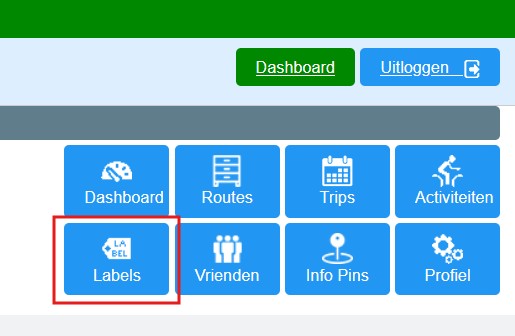
Log in to the website and open the 'Labels' list.
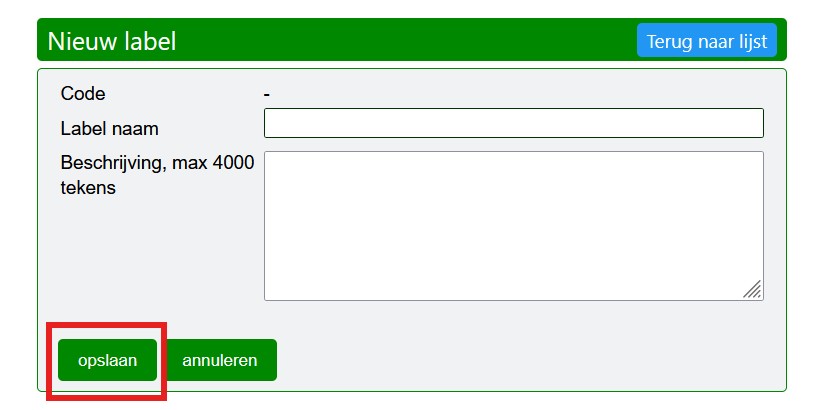
Click on 'new label'.
Give it a title and save.
Click on the new label and add the route.

Select multiple routes for a single label? Click on the 'Meerdere' (= Multiple) button and use the Ctrl button to select multiple routes at once for your label.
Only possible on the website.


On the website, you will see per label the total kilometres of the routes assigned to this label.
See also the instruction video at www.fietsknoop.nl/videos.
- Advertentie -